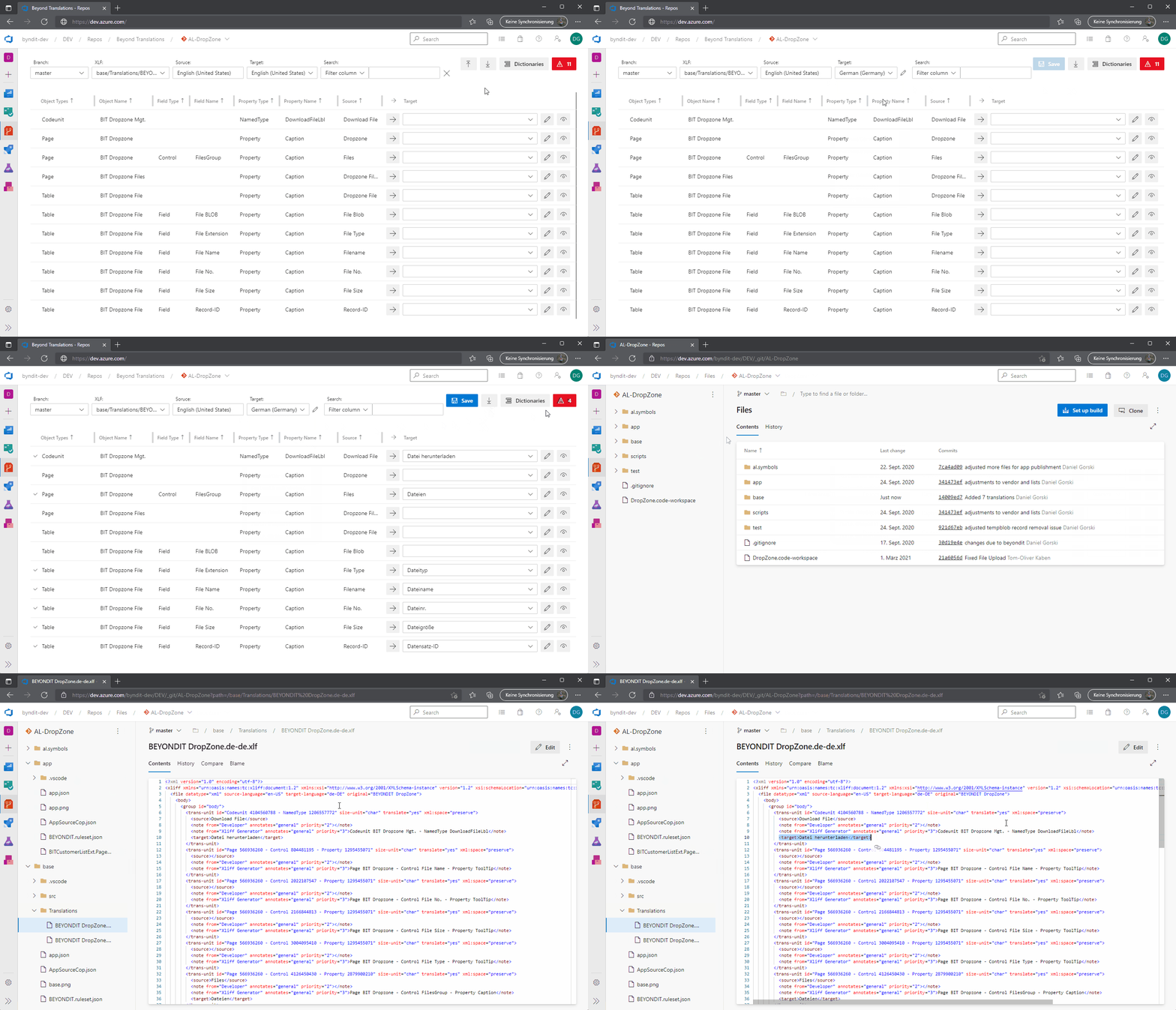
🌐 BeyondTranslations is an innovative XLIFF translation management extension tailored for agile teams, seamlessly integrated into Azure DevOps. Its mission? Streamline and simplify the translation process for teams developing on Dynamics 365 Business Central, supporting all languages 🌍 relevant to the ERP system.
Key Features & Benefits:
- Integrated Workflow 🔄: The extension lives within Azure DevOps, optimizing the management of XLIFF translation files 📁, eliminating the need for developers to grapple with translations in tools like VS Code.
- User-Friendly Interface 👥: With a robust UI, translations are made straightforward. "Everyone can translate," 🗣 allowing even non-developers to make adjustments without diving into the code.
- Automated Code Adjustments ⚙️: The tool modifies the underlying code 🖥 directly, making manual adjustments redundant. Simply translate phrases within the tool, and the necessary code changes happen behind the scenes.
- Consistency & Efficiency 🚀: Beyond Translations supports over 30 languages 🌐 and allows phrases to be translated just once. A built-in dictionary 📖 ensures standardized terminology and prevents repetitive translations.
- Advanced Filtering & Duplication Handling 🔍✂️: Users can filter specific words or phrases for translation. And in cases of duplicates, they can apply translations universally or selectively.