Do you want to learn more about Isolated Storages?
Isolated Storage is a data storage that provides isolation between extensions, so that you can keep keys/values in one extension from being accessed from other extensions.
Read the full documentation here: https://learn.microsoft.com/en-us/dynamics365/business-central/dev-itpro/developer/devenv-isolated-storage
Lets extend the standard "Copy Purchase Document" report to get some customization there.
reportextension 50300 "BIT Copy Purchase Document" extends "Copy Purchase Document"
{
    requestpage
    {
        layout
        {
            addlast(Options)
            {
                field(CopyHTMLTexts; CopyHTMLTexts)
                {
                    ApplicationArea = All;
                    trigger OnValidate()
                    begin
                        if IsolatedStorage.Contains('Html') then
                            IsolatedStorage.Delete('Html');
                        IsolatedStorage.Set('Html', Format(CopyHTMLTexts));
                    end;
                }
            }
        }
    }

    var
        CopyHTMLTexts: Boolean;

}
After we published the code of our first implementation we discovered a very strange behaviour in our local docker container and even in our SaaS tenant.
By validating that field on my requestpage the webclient throws an exception:
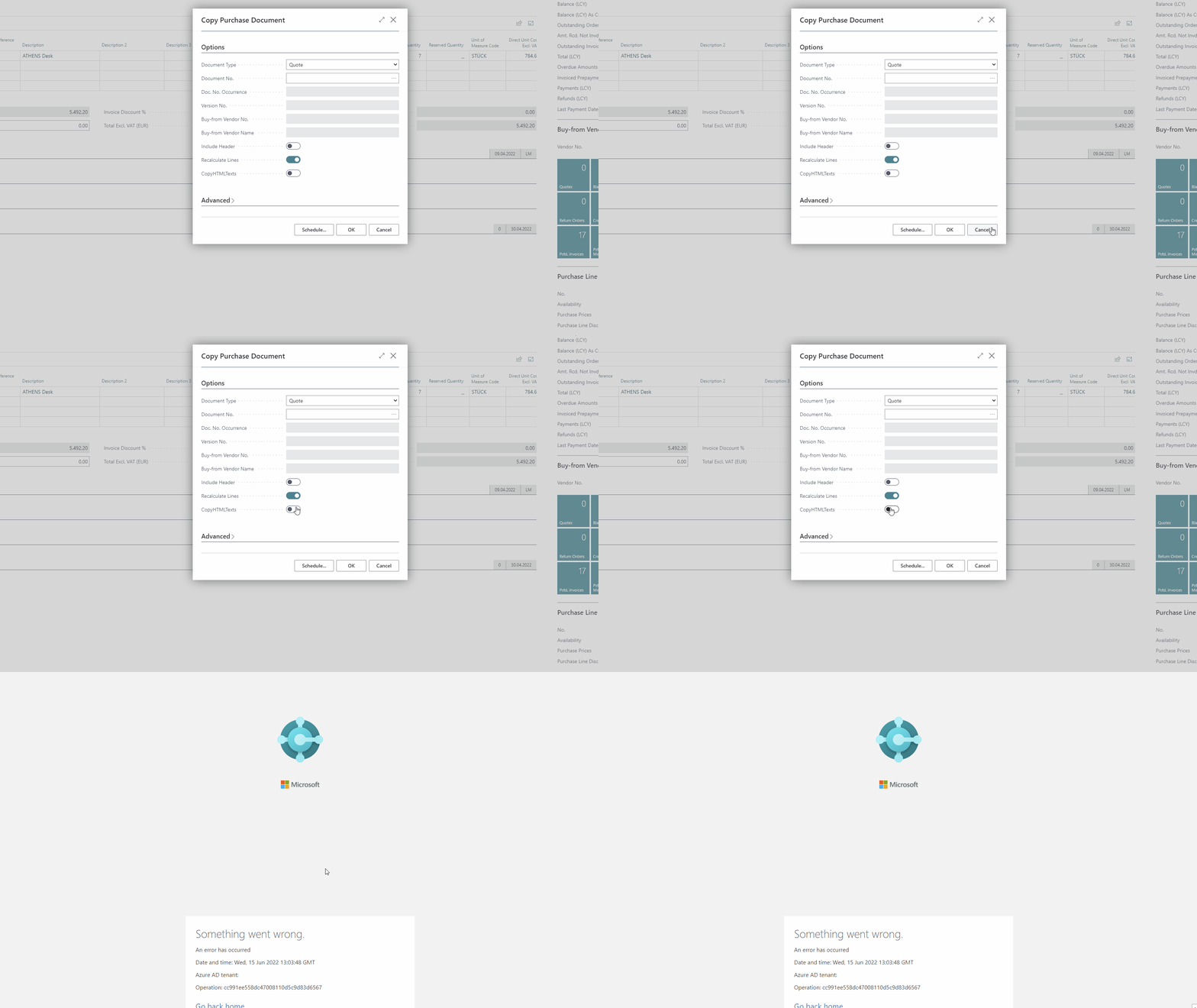
Ok, something went wrong, but what exactly?
Let take a look at the event log by running powershell and the "Get-BcContainerEventLog"
command:
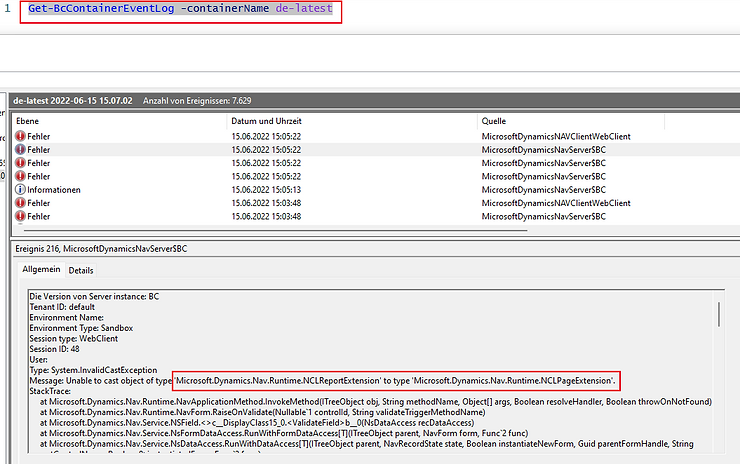
Ok that's the problem:
Unable to cast object of type 'Microsoft.Dynamics.Nav.Runtime.NCLReportExtension' to type 'Microsoft.Dynamics.Nav.Runtime.NCLPageExtension'.
If you get this kind of an error just move your code into a procedure to cast it correctly ;-)
reportextension 50300 "BIT Copy Purchase Document" extends "Copy Purchase Document"
{
    requestpage
    {
        layout
        {
            addlast(Options)
            {
                field(CopyHTMLTexts; CopyHTMLTexts)
                {
                    ApplicationArea = All;
                    trigger OnValidate()
                    begin
                        SetIsolatedStorage();
                    end;
                }
            }
        }
    }

    local procedure SetIsolatedStorage()
    begin
        if IsolatedStorage.Contains('Html') then
            IsolatedStorage.Delete('Html');
        IsolatedStorage.Set('Html', Format(CopyHTMLTexts));
    end;

    var
        CopyHTMLTexts: Boolean;

}